Project of the Week #1: Rubik's Cube Scramble Generator
Welcome to the new Project of the Week series! In this series, I will create a project using any coding language. By the end of the school semester (May 21st for me), I will compile all of my projects into a digital GitHub portfolio. This week’s project will be an online Rubik’s Cube scramble generator. I have been fascinated with the Rubik’s Cube and speedcubing for the past two weeks, so it would be nice to make a fun project about it. Let’s get started!
How does a Rubik’s Cube work?
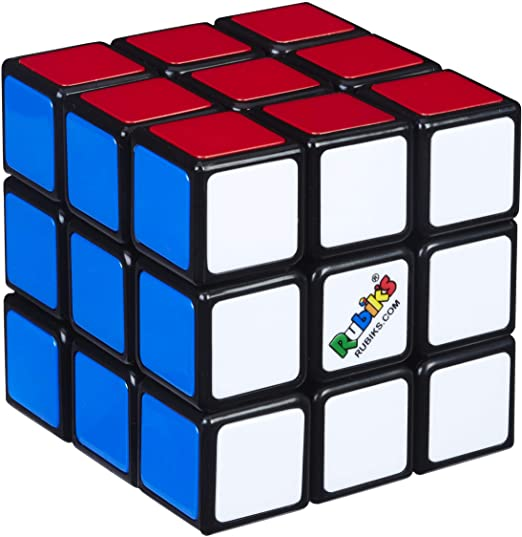
The Rubik’s Cube, invented by Ernő Rubik in 1974, is a 3x3 cube in which layers can be moved in different orientations. The cube is considered solved when all pieces of each face are the same color. However, in official speedcubing competitions, the cube must be scrambled using a combination of moves before it is handed to the solver to ensure its randomness. Here is a list of the basic scrambling moves:
- U (up)
- D (down)
- L (left)
- R (right)
- F (front)
- B (back)
Moves are clockwise by default. There are 2 special modifiers:
- The ‘ symbol (pronounced as prime) can be added after the face to make it counterclockwise, such as U’ and R’.
- A 2 can also be added to make the move a 180-degree rotation, such as D2 and F2.
- While scrambling a cube, make sure the white face is on top, and the green face is in the front. An example scramble consisting of 21 moves would look like this: L2 D R2 U2 F U2 F’ L2 B D2 B’ D2 F’ D F’ L’ B’ D’ R D’ F2
Project Code with Explanations
This project is run using Python. Comments starting with # are used to provide detailed code explanations.
import random
def scramble_cube(moves, moves_per_line): # Parameters: moves (total moves), moves_per_line (maximum moves displayed per line)
    faces = ["F", "B", "U", "D", "L", "R"] # All possible faces
    modifiers = ["", "'", "2"] # All possible modifiers
    scramble = "" # String used for the scramble
    prev = "" # Previous move to prevent repeated moves
    face = "" # Current face
    newline = "" # New line string
    for i in range(moves): # The code that generates the scramble
        if (i + 1) % moves_per_line == 0: # Loop used to add a new line after a certain number of moves
            newline = "\n"
        else:
            newline = ""
        while face == prev: # This code runs in a loop until the current face is different from the previous face
            face = faces[random.randint(0, 5)] # The randint function returns a random integer from the start value (1st argument, 0) to the end value (2nd argument, 0)
        mod = modifiers[random.randint(0, 2)]
        scramble += f"{face}{mod} {newline}" # Final scramble string
        prev = face # Reset and repeat the loop again
    print(scramble) # Displays the scramble
To view and copy the code, click this link. I will implement a way to run the code later, but for now, just copy the code into a Python editor such as PyCharm.
Final Thoughts
Hope you enjoyed this project! Stay tuned for the next weekly project! Update: This series has been moved to start on February 14, 2026, due to my inactivity. I will continue making more fun projects!
Comments